
Hubbuy Spreadsheet, one field at a time
Find a product, check the details, and understand what belongs in each form before you order.
Search the product catalogue, then bring one link back to the agent form.
Find your starting point
Explore sixteen categories. Open a listing, check its options, and save the exact product link.
Need help reading a listing? Follow the category walkthrough.
 SneakersCategory
Footwear is where people paste first and read afterwards. Open the page, look at it, then copy the link, so the one you send is the one you actually chose.
 JacketsCategory
Check the coat's size and listing option before ordering. A parcel declaration should accurately describe all of its contents.
 HoodiesCategory
Only the link travels. Anything you settled by scrolling through a gallery has to be said again, in words, in the note field.
 T-shirtsCategory
Cheap items are the ones added in a hurry at the end of a session, and the ones most likely to land in the wrong order. Re-read before you submit.
 JeansCategory
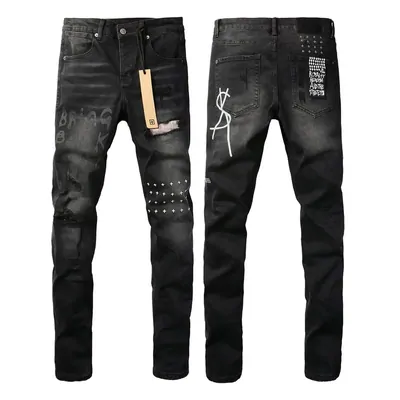
Scroll to the bottom of the page you are about to link before the link leaves your clipboard. Record the item and its variant before submitting the order.
 SweatpantsCategory
Wanting the top and the bottom of one outfit usually means two pages and two links. Check that both of them made it into the form.
 Women'sSearch results
This tile runs a keyword search rather than opening a fixed section, so what comes back shifts as sellers relist. Save the link to an item, not to a page of results.
 JerseysCategory
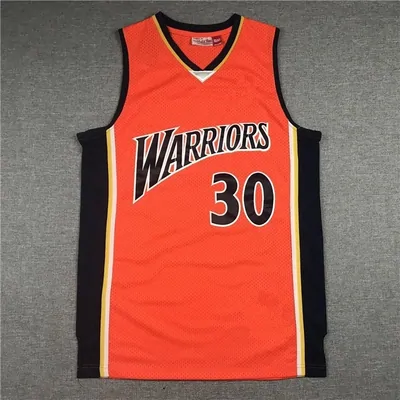
Anything you pick inside a page, rather than by opening a different page, is invisible to the link. Write down what you picked.
 BagsCategory
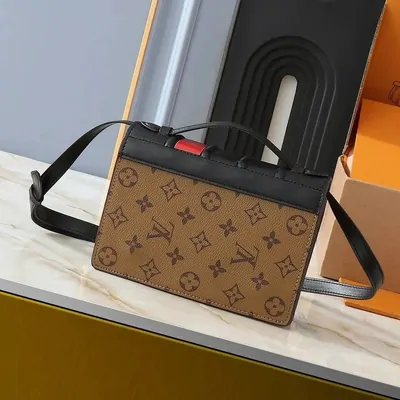
Once the value goes up, the paperwork starts to matter. The figure you enter at forwarding is the figure that travels with the box.
 Caps and hatsCategory
Small things get forgotten in a parcel full of bigger ones. A cap still needs its own link and its own line on the form.
 BeltsCategory
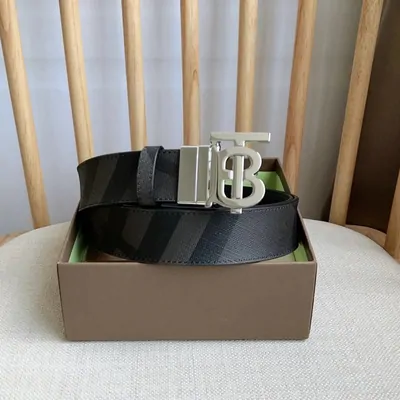
Accessories get added last, when the form is already half filled in and you have stopped reading it. Slow down for the final item.
 EyewearCategory
Something small can still be the most expensive line you type. The declared value follows what you paid, not the size of the box.
 FragranceCategory
Find out how a fragrance can be forwarded before you order it, rather than after it is sitting in the warehouse waiting for a route.
 JewelryCategory
A jewelry photo often has several pieces in it. Say how many of them you are actually buying, because the link will not say it for you.
 WatchesCategory
The operator asks in its own terms for a declaration that is true, accurate and complete. A watch is where that sentence stops being abstract.
 TechCategory
If it has a battery in it, check how it can be shipped before you buy, not after the parcel is packed and waiting.
What the agent says it does, in its own words
The front page of the official site states the offer in one line and then puts a search box under it. Everything below that line is an elaboration: buy on your behalf, inspect and warehouse, ship directly.
Read the three inline bullets across the middle. They are the whole service, in order, and every page on this site maps back to one of them.
Historical source screenshot

Four claims, and the one that can be checked
The front page makes four promises: selection, lower cost, quality service, instant response. Three of them are the sort of thing every agent writes.
The second one is different, because it names a mechanism you can verify: combining goods from several sellers into one parcel. That is a real, observable behaviour of the warehouse, and it is the reason the shipping estimate on the checks page is worth running before you order.
Historical source screenshot

The box on the agent site accepts a link, not just a word
The agent search bar takes a product name or a full product link. Pasting a link is the reliable path, because it skips the guessing entirely.
The icons beside it are the platforms it can read automatically. If your link is not from one of them, the site cannot pull the title and price for you and you fill the form in by hand instead. That form is covered on what you type.
Historical source screenshot

Three cards that hide two payments
The official summary is three cards: place an order and pay, pay the package fee, wait for delivery. Read the small print inside them and you will notice that you pay twice, at two different moments.
The first payment covers the goods and the domestic leg to the warehouse. The second covers international shipping and is only calculable once the parcel has been weighed. Optional warehouse services can add charges between those payments. Check the item and parcel totals separately.
Historical source screenshot

Where your three fields sit in the run
Strip the process down to the points where a human being has to type something that nobody else can supply, and only three remain.
The product link
Yours. The agent can read four Chinese platforms automatically; for anything else the link plus the price and the shop name are typed in by you. See what you type.
The tracking number
Yours, and only if you ship to the warehouse yourself rather than ordering through the agent. The official guidance is blunt about what happens when it is missing: see the help page.
The declared value
Yours if you want it to be. The agent will declare a value for you based on the destination, or you can leave a note and set it. Both paths are described on checks worth doing.
The picture strip that skips the paperwork
The How to Purchase strip is five pictograms with arrows between them and no captions underneath. As a summary of the physical journey it is accurate: box, truck, warehouse, opened box, parcel out.
As a summary of your work it leaves out everything. None of the five icons is a form. A step-by-step version with the forms put back in is on your first order.
Historical source screenshot

The footer is the real table of contents
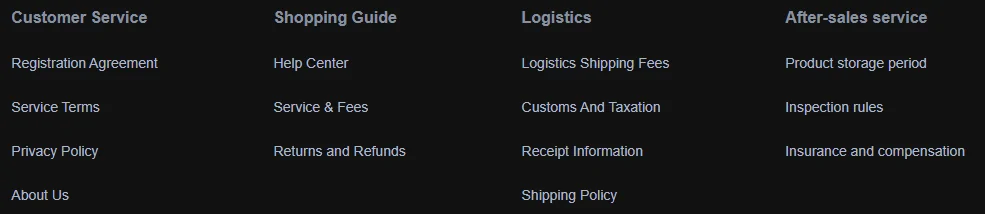
The link columns at the bottom of the agent site are the fastest map of what is documented and what is not. Four groups: customer service, shopping guide, logistics, after-sales.
Almost every rule that can stop a parcel lives under the last two. Help and terms picks out the ones that change what you should do before you order, rather than after something has gone wrong.
Historical source screenshot
Two controls in the top bar change what you see
The bar across the top carries the usual navigation plus two things worth noticing before you start reading numbers: a currency and language selector, and a shipping cost estimator that works without an account.
The selector changes the displayed currency. Confirm the checkout currency and payment conversion separately. The estimator is the only part of the agent site you can use fully before signing up, which makes it the sensible first stop.
Historical source screenshot

The field nobody can fill but you
Every screenshot on this site is a picture of somebody else filling in a form. This one is the part that stays empty until you do something.
There is no number here, and there will not be one. Prices, rates and delivery times belong to the operator and change without telling us; this site describes where they appear and who put them there.
* Product link
Empty on purpose. This is the field you paste into, and the one place where a wrong character costs you the whole order.
Historical source screenshot

What the promotional panels are actually announcing
Three panels sit near the foot of the front page: a beginner guide, the mobile apps, and a site upgrade notice. The third documents the migration announced before these screenshots were captured on 23 September 2026.
The coupon amount printed on that panel is the operator's own promotion, not a quote from us and not a guarantee that it will still be running when you read this. The migration itself is covered on updates.
Historical source screenshot

Reach a human, and notice which address you are writing to
The contact block gives a service mailbox, a messaging channel and office hours in Beijing time. That is the route for anything about a specific order, and this site cannot act on your behalf for any of it.
One detail is worth catching: the business address in that block still uses the old domain. It is not a typo on our side, it is on their page, and it is the same migration the upgrade panel is announcing.
Historical source screenshot
Which cards the checkout shows
The strip above the copyright line lists the card networks accepted at checkout. It is the least interesting picture on the front page and one of the more useful ones, because it is the only place the payment options are stated without you having to reach a payment screen first.
What it does not tell you is the currency you will actually be charged in. Check the payment screen and your payment provider's conversion terms rather than assuming that the displayed currency is the settlement currency. Who runs this site, and how it earns, is on about.
Historical source screenshot
