
Every field on the form, and who fills it
Nine boxes on the order form, four on the forwarding form. Some are filled for you, some are optional, and a small number decide whether your parcel arrives at all.
Nothing to paste yet? Start from a category shelf instead.
The first row is the one that decides the rest
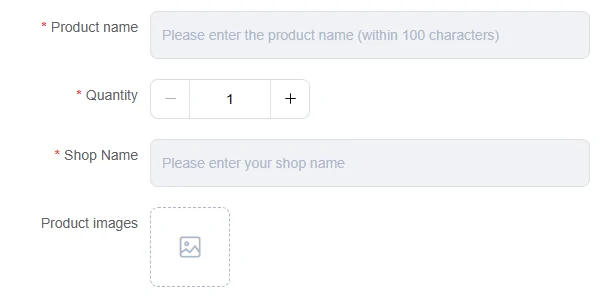
Product link and product name, side by side, both required. If the link is from a platform the site reads automatically, the name arrives with it and you are editing rather than composing.
The name field is capped at one hundred characters, which is shorter than most Chinese listing titles. When it is filled for you it will often arrive truncated. Keep the product link intact and check that the name still identifies the intended item. Record the exact colour, size and listing option separately rather than assuming a shortened title contains them.
Historical source screenshot

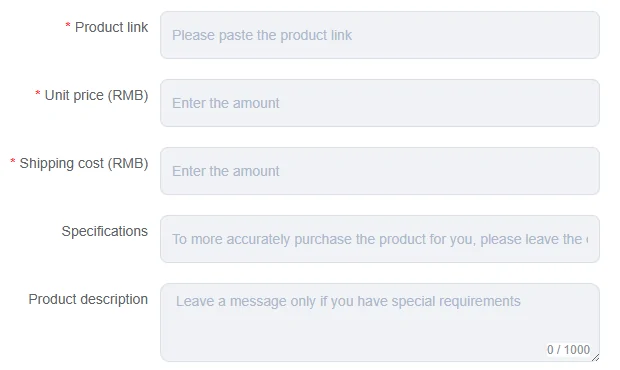
Left column is money, right column is identity
The form splits cleanly. Everything on the left describes what the item costs and what variant you want. Everything on the right describes which item it is and how many.
Three fields on the left are starred and two are not. The two unstarred ones are where first orders go wrong most often, because they are the only place to say which colour, which size, and anything unusual about the purchase. Leaving them blank on a listing with variants creates ambiguity. Confirm those choices before submitting.
Historical source screenshot
Historical source screenshot
The tracking number is the only proof the parcel is yours
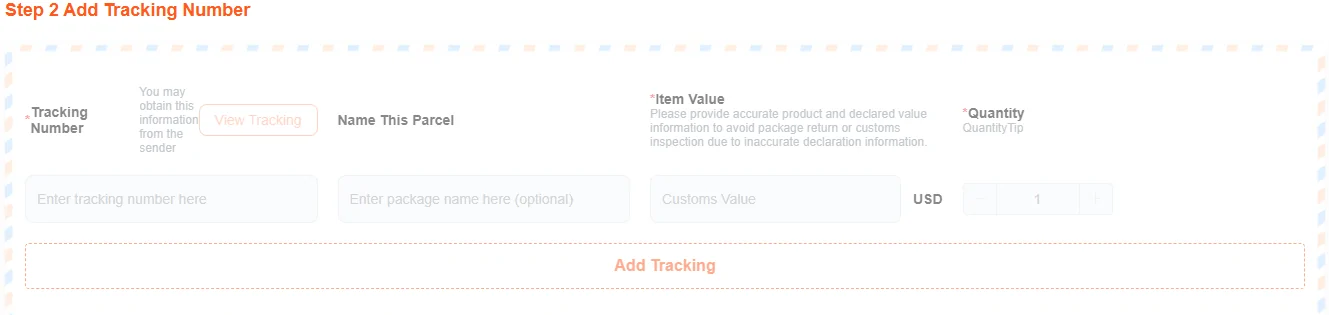
On the forwarding side the form is shorter and the stakes on one field are much higher. When you ship to the warehouse yourself, the agent has no order record to match your box against. The carrier tracking number is the link between a box on a shelf and an account.
Each tracking number you add becomes one order identifier. The team sorts, photographs and stores against that identifier, and a single box holding several large items may be split into several of them.
Two consequences follow. Enter it exactly, and do not give it to anybody else. The operator's own instruction not to share it with anybody sits in the tips box reproduced on checks worth doing.
Historical source screenshot
Where the number comes from, and where it goes
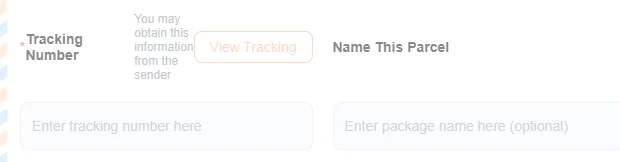
Two fields, two different sources. The tracking number comes from whoever sent the parcel; the official hint on that field says so explicitly. The declared value comes from you, or from the agent if you say nothing.
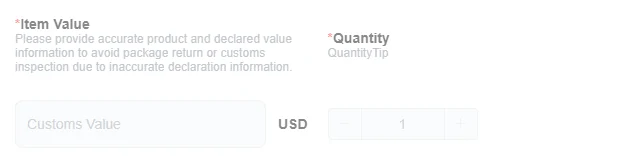
The declared value field is labelled customs value and it is denominated in dollars, regardless of what you paid the seller in. This is the one field on either form where being casual has consequences outside the agent system: it is what a customs officer reads.
Historical source screenshot
Historical source screenshot
Checking a number before you hand it over
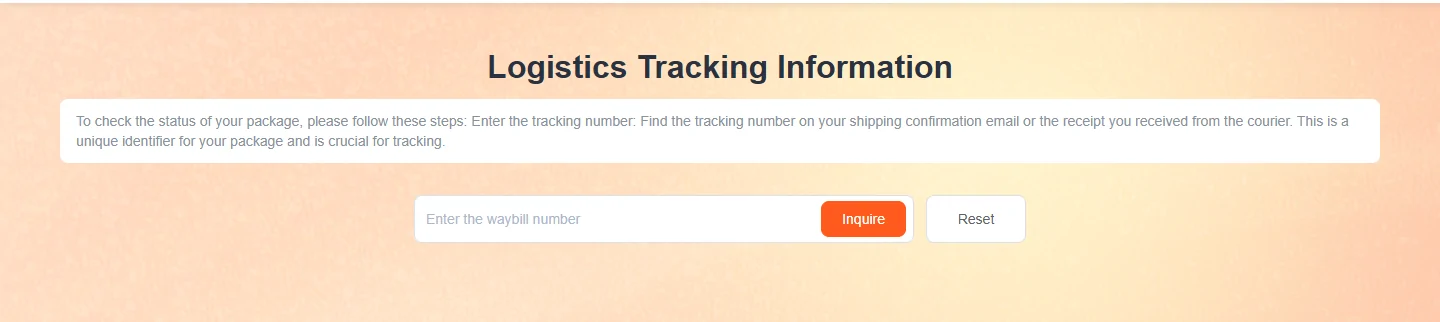
The agent publishes a standalone tracking lookup that works without an account. Paste the waybill number in, and you will know whether it resolves before you commit it to a forwarding order.
This is a five second habit that prevents a slow, confusing failure. A mistyped number does not produce an error when you submit the forwarding order. It produces a parcel that arrives at the warehouse and cannot be matched to you.
Historical source screenshot
What no data actually means
Type a number that the carrier does not yet recognise and the lookup returns an empty state rather than an explanation. It is worth knowing what that state does and does not tell you.
It does not mean the number is wrong. Carrier data may not have appeared yet, and the lookup may not cover the carrier. What it does mean is that you have no confirmation yet, so treat a blank result as unknown rather than as bad news, and check the carrier directly or ask the sender for confirmation.
Historical source screenshot

Three currencies pass through one order
This is the total on the order form before anything has been calculated. The currency code is there, the amount is a pair of dashes, and that is the honest state of every price on this site.
Three currencies are involved and nobody at the agent ever puts them in one sentence. The goods and their domestic shipping are entered in yuan, because that is what the Chinese seller is charging. The customs value on the forwarding form is entered in dollars. The totals and international shipping use the selected display currency. The payment screen and payment provider determine the actual settlement and any conversion charges.
So set the selector before you read a single number, and expect the rate between the yuan you typed and the currency you are billed in to be the agent rate on the day, not the mid market rate your bank app shows you. We do not publish that rate, and neither should any other guide.
Historical source screenshot

The same form, in a different currency, on the old site
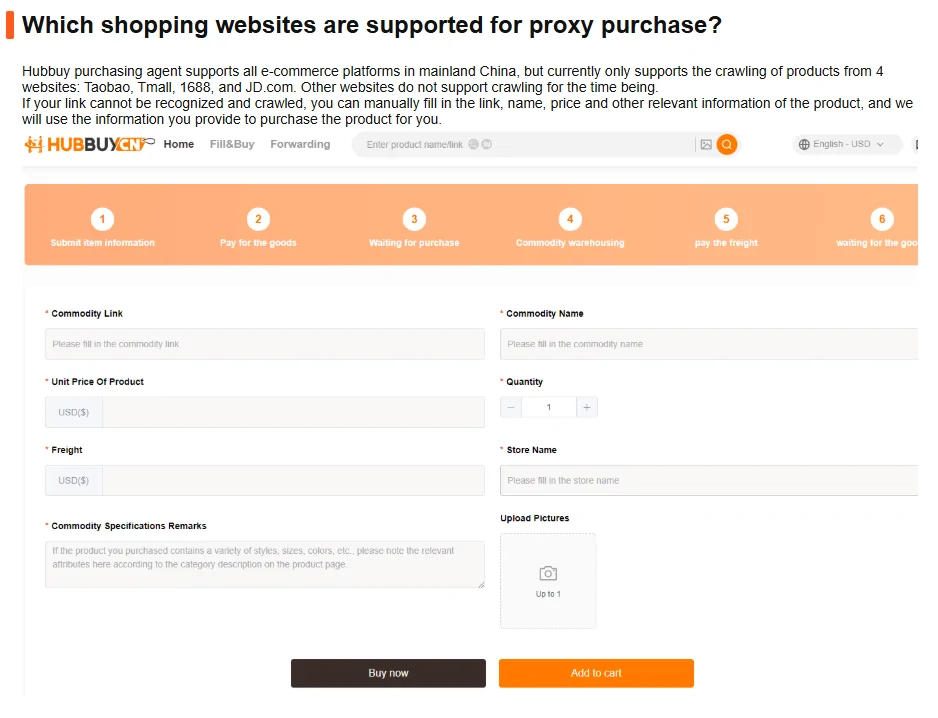
The help centre still illustrates the manual path with a screenshot from the previous site, and putting the two side by side turns up something concrete rather than cosmetic.
In the old screenshot the unit price and the freight fields are labelled in dollars. On the current form they are labelled in yuan. The boxes look the same, they sit in the same place, and they expect a number from a different currency. If you learned this form from an older tutorial, that is the field to look at twice.
Which brings up the wider point about sellers: the listing you are copying from is priced in yuan, so the figure you carry into the form should be the seller yuan price with nothing converted, nothing rounded, and the domestic shipping entered separately rather than folded in. A seller who quotes you a single combined figure is a seller you should ask to itemise before you commit, and a reliable seller will itemise without being pressed. That willingness, rather than any badge or star rating, is the signal worth reading. More on the rules that govern all of this is on help and terms.
Historical source screenshot
Why accuracy on these fields is not a formality
The forwarding guide is unusually direct about this, and the sentence is short enough to keep in mind while you are typing.
Nothing downstream can repair a wrong number here. The warehouse does not know what you ordered, only what arrived and what you told it to expect.
Accurately entering the tracking numbers is crucial.
Official forwarding guide, captured 2026-09-23. Full page: the forwarding guide.
Prepare a note before you paste the link
Keep the product link, quantity and exact variant together. This note stays on your device and helps you avoid leaving the specification field blank.
This checks the link format only. It does not verify a seller, stock, authenticity or whether the agent can read the listing.