Your first order, from link to shipped parcel
The official guide runs to ten numbered steps across two sections. Most of them are the warehouse working. Here is the same run, organised around the handful of moments that need you.
Find something on the shelves first if you have nothing to order yet.
Ten steps, in two halves
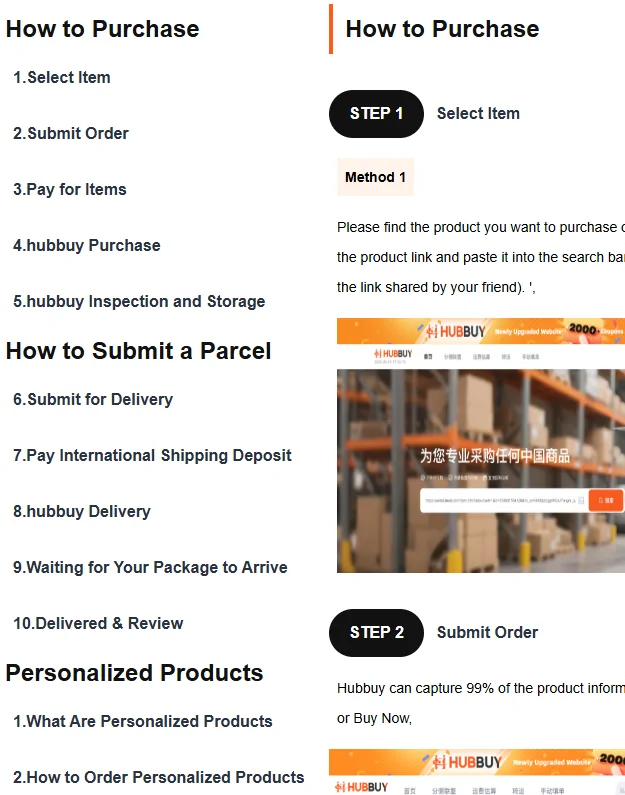
The contents panel of the official guide splits the run in two. Steps one to five are how to purchase: choosing the item, submitting the order, paying for it, the agent buying it, and the warehouse inspecting and storing it.
Steps six to ten are how to submit a parcel: submitting for delivery, paying the international shipping deposit, the agent dispatching, waiting, and finally delivery and review.
The split is the important part. Everything in the first half happens inside China and is paid for in one transaction. Everything in the second half is about getting a box across a border, and it is paid for separately, later, once there is a box to weigh.
Historical source screenshot
Choosing the item and submitting it
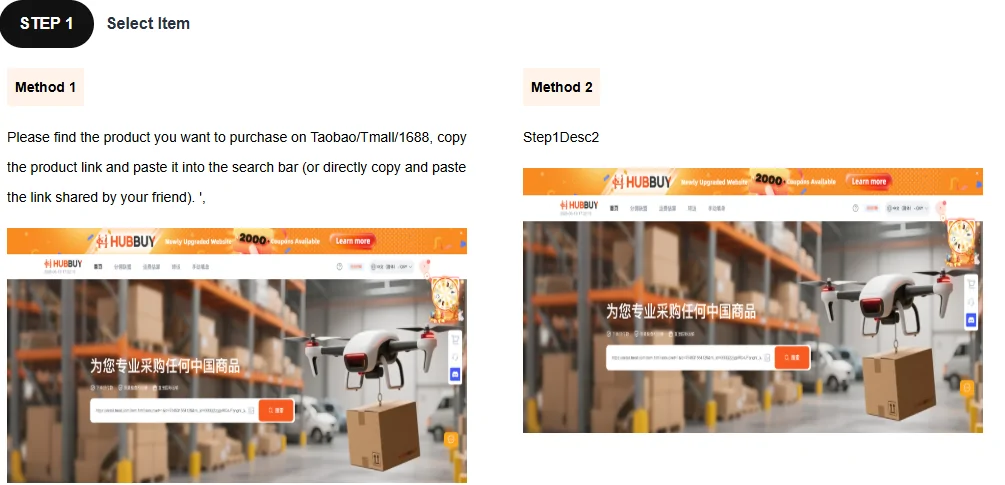
The first two official steps are the ones you actually perform. Step one is selecting the item, and the guide offers two methods for it, of which only the first is legible: paste the link into the search bar.
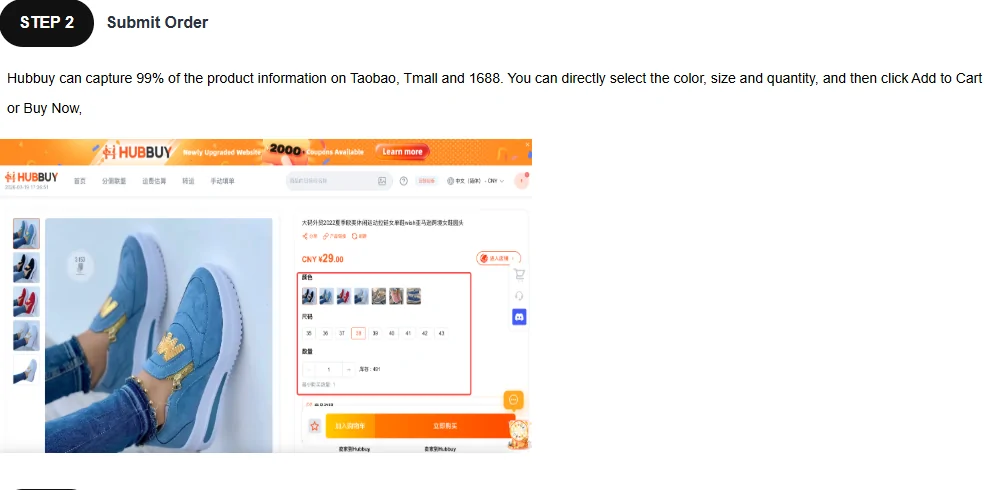
Step two is submitting the order. When the link comes from one of the platforms the site reads automatically, the colour, size and quantity selectors are already populated and you are picking from them rather than typing them. That is the entire benefit of a readable link, and it is worth a lot more than it sounds when you are on your fourth item.
Historical source screenshot
Historical source screenshot
The moments that actually need you
Strip out everything the warehouse does on its own and the run gets short. Four moments, in this order.
Paste and choose
One link, then the options. If the options are greyed out or absent, the link was not read and you are on the manual path instead.
Pay the first time
Goods plus the domestic leg to the warehouse. After this you wait, and nothing you do speeds it up.
Submit the parcel
Choose which stored items go in the box. Until you do this, nothing ships, no matter how long the goods have been sitting there.
Pay the second time
International shipping, calculated once there is a real parcel with a real weight. Only now does anything leave the country.
What the front page cards leave out
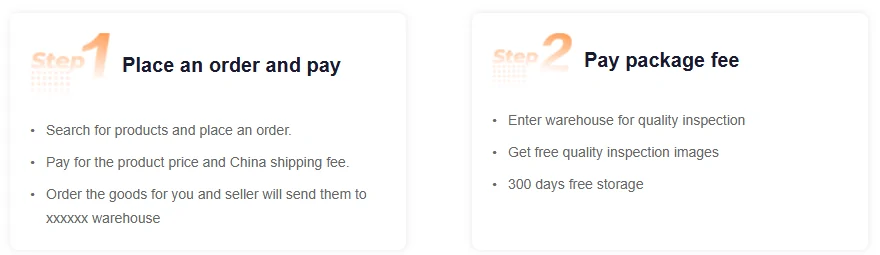
The summary cards on the agent home page compress the first two steps into a sentence each. Read them next to the full guide and one gap stands out: the cards mention free inspection photographs and a storage period, but not the fact that submitting the parcel for shipping is a separate action you have to take.
There is a second, smaller thing in these cards worth noticing. The line describing where the seller sends your goods still contains a run of placeholder characters where the warehouse name should be. It is harmless, and it is a fair signal of how finished this part of the site is.
Historical source screenshot
The middle, where you do nothing
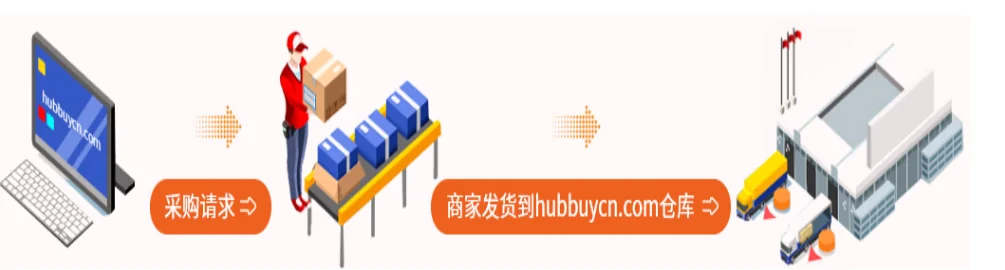
Steps four and five are the agent working. The illustration for step four is the clearest picture the site has of the physical flow, and it also still carries the old domain name printed into the artwork, which tells you roughly when it was drawn.
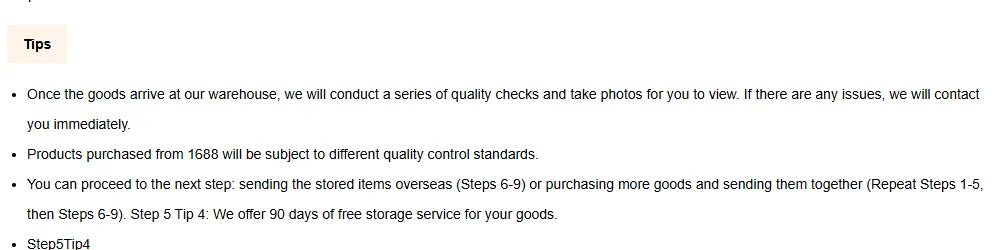
Step five is the inspection and storage tips, and it contains the one flat contradiction we found on the agent site. The tip here states a free storage period of ninety days. The help centre article on storage, and the summary cards on the home page, both state three hundred. Both were captured on the same day.
We are not going to pick one for you. Plan against the shorter figure, and if the length of storage matters to your order, ask support in writing before you pay. The longer number and its conditions are quoted on help and terms.
Historical source screenshot
Historical source screenshot
The progress rail tells you which half you are in
The manual order page carries a six-dot rail across the top, and it is the best status indicator on the site because it maps directly onto the two payments. Dots one and two are yours. Dots three and four are the seller and the warehouse. Dot five is yours again. Dot six is the carrier.
If you ever lose track of where an order is, find this rail rather than reading the status text. The text uses several different vocabularies depending on which page you are on; the rail does not.
Historical source screenshot

Submitting the parcel and paying the second time
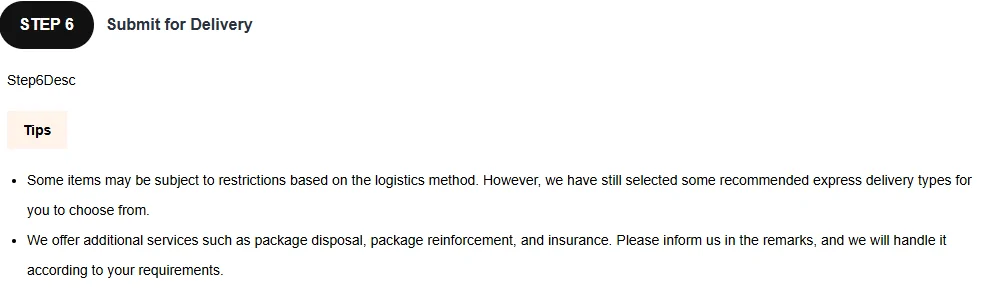
Step six is where a lot of first orders stall, because nothing prompts you. The goods are in the warehouse, the photographs are there, and the system is waiting for you to say which of them go in a box.
The official text for step six is one of the passages where the site is showing an untranslated internal label instead of a sentence. The tips beneath it are complete and are the useful part: some logistics methods carry restrictions, certain express types are recommended, and optional packing, reinforcement and insurance can be requested in the remarks box.
Step seven explains how the second payment is calculated and, more usefully, what happens when the estimate and the reality differ. That mechanism is quoted in full below.
Historical source screenshot
Historical source screenshot

The refund mechanism, in the operator's own words
This is the sentence to remember when the number you pay at step seven does not match the number you expected. The charge is provisional until the carrier weighs and measures the box.
Note where the difference goes. It returns to your account with the agent, not to your card, which means it is credit towards your next parcel rather than money back in your pocket.
The final shipping cost will be calculated based on the package size and weight measured by the shipping company. If there is a difference between the final shipping cost and the paid shipping cost, the difference will be refunded to your hubbuy account after the product is shipped.
Official guide, step seven, captured 2026-09-23. Full page: the purchasing guide.
And the form at the end of it all
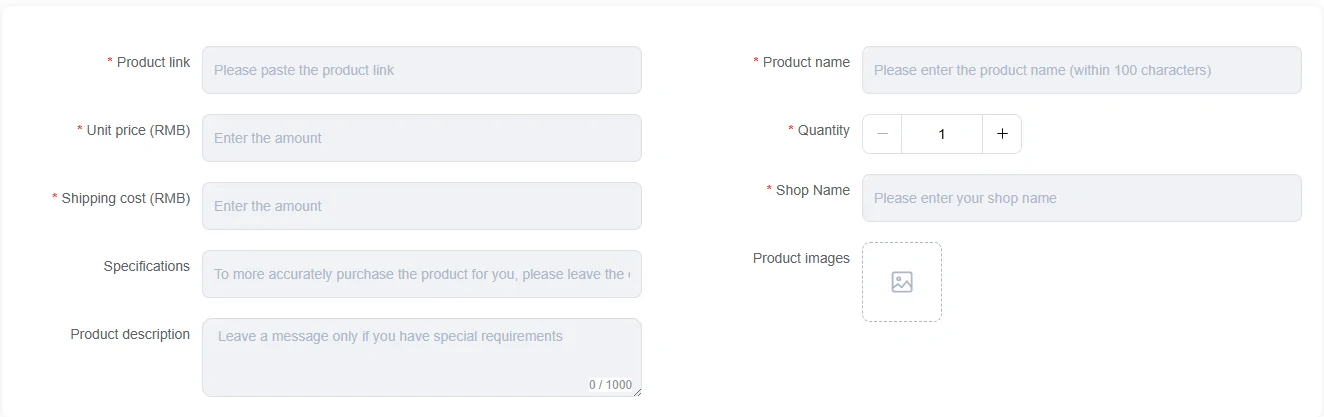
Everything above collapses into this when the link cannot be read automatically. Two columns, nine boxes, five of them required.
One thing is missing from this page and its absence is deliberate. The official guide illustrates its third step with a screenshot of a completed order confirmation, and that screenshot contains a real customer name and full postal address. We cropped it out rather than republish the home address of somebody who never agreed to appear here, so step three has no picture on this page. It is a confirmation screen; you read it and you press the button.
Every box in the form below, and who is expected to fill it, is on what you type.
Historical source screenshot